How to use the Dashboard and find matters in the Matters list
The Dashboard is the first screen you see after signing in. It gives you the links you share with clients and a quick view of intakes that are still in progress. From the left menu you can also open the Matters list to find any matter.
Your standard links
The top of the Dashboard lists a standard link for each of your questionnaires, with a copy button next to each one. Share a standard link with a new client so they can create an account and start that questionnaire on their own, without an invitation.
Below them is the Portal Login link. Clients who already have an account use it to sign back in. To change how these links look, go to Settings > Firm > Standard Links.
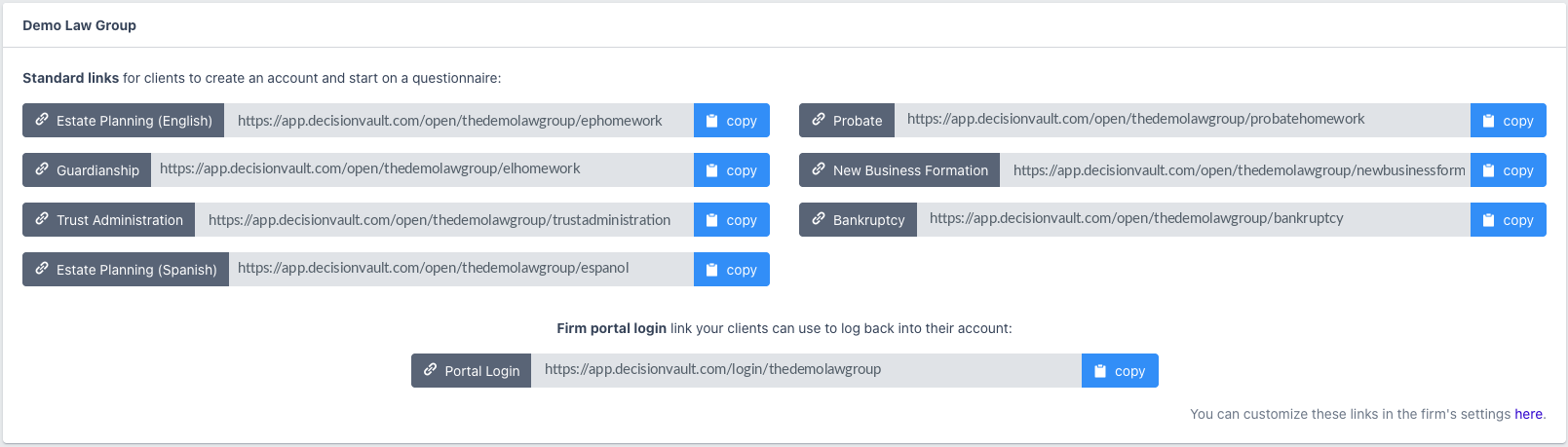
Note: Send a standard link only to new clients. If an existing client opens a standard link, DecisionVault creates a second matter for them. To start a new questionnaire for an existing client, create the matter yourself and add them as an existing client user.
Recently started questionnaires
The Dashboard also lists questionnaires that clients have started but not yet submitted, with the open date, questionnaire type and matter name. Click a matter to open it and see how far the client has got.

Finding matters in the Matters list
Go to Matters > List in the left menu to see all matters. Use the filters at the top to narrow the list:
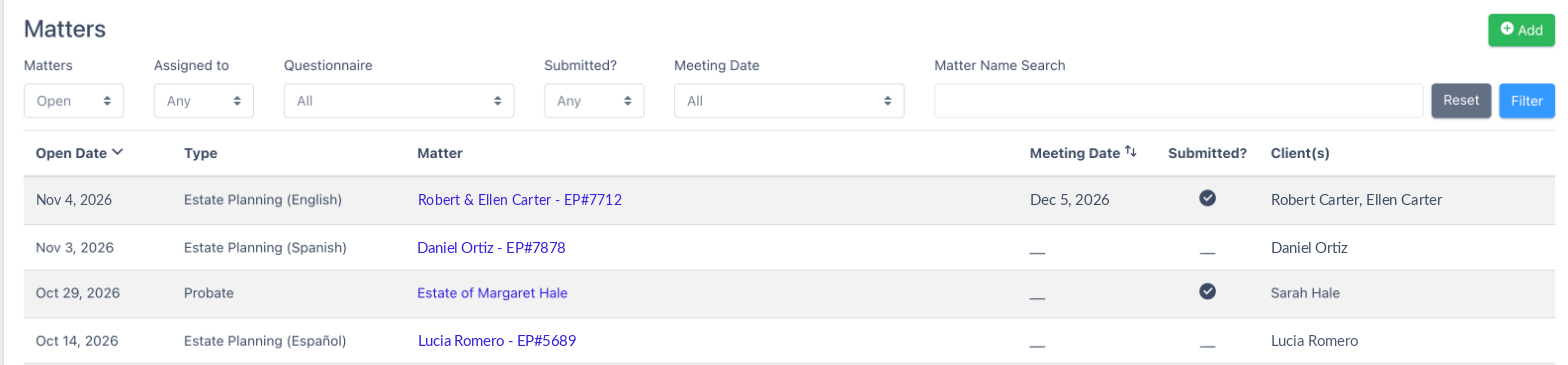
- Open, Closed or All: open matters are shown by default.
- Assigned to: any matter, or only matters assigned to you.
- Questionnaire: one questionnaire type, or all.
- Submitted?: yes, no or any.
- Meeting Date: all, this week or next week.
- Matter Name Search: type part of the name, then click Filter. Click Reset to clear all filters.
Click Add to create a new matter.
Frequently Asked Questions
Why can't I find a matter in the list?
Check the filters. Closed matters are hidden unless you choose Closed or All, and Regular users only see matters assigned to them unless your firm lets them see all matters.
Can I see which clients were sent a questionnaire but have not submitted?
Yes. Set the Matters list filter Submitted? to No, or check the recently started list on the Dashboard.
Where do I change the standard links?
Go to Settings > Firm > Standard Links.