How to integrate DecisionVault with Highlevel
Here's how to connect the tools:
DecisionVault connects to HighLevel at the sub-account level. That is where your contacts, opportunities and custom fields live. If you only have a sub-account, you may not see an agency screen at all. If you work through an agency, you'll pick the sub-account during the install.

Connect HighLevel
-
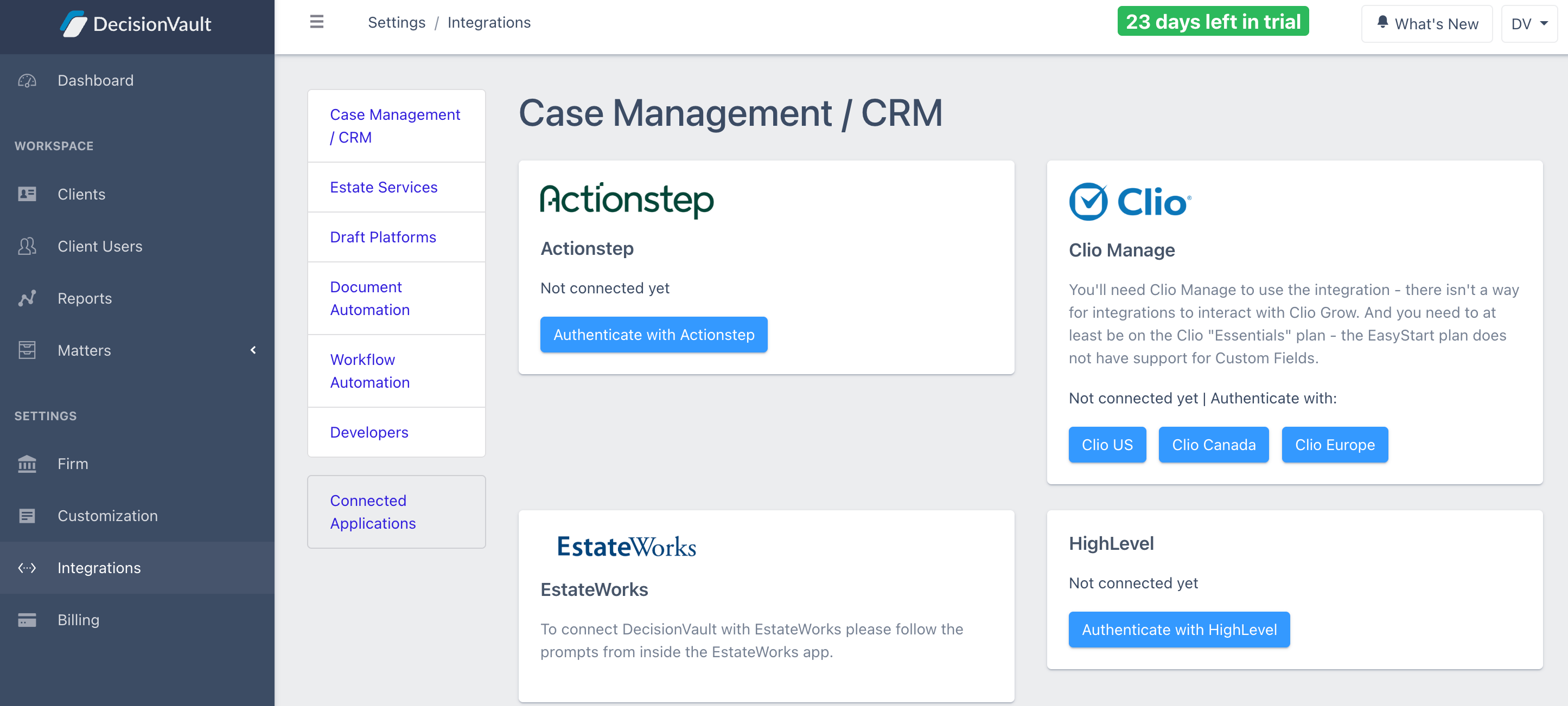
In DecisionVault, go to Settings > Integrations. and find the HighLevel card. Click Authenticate with HighLevel.
-
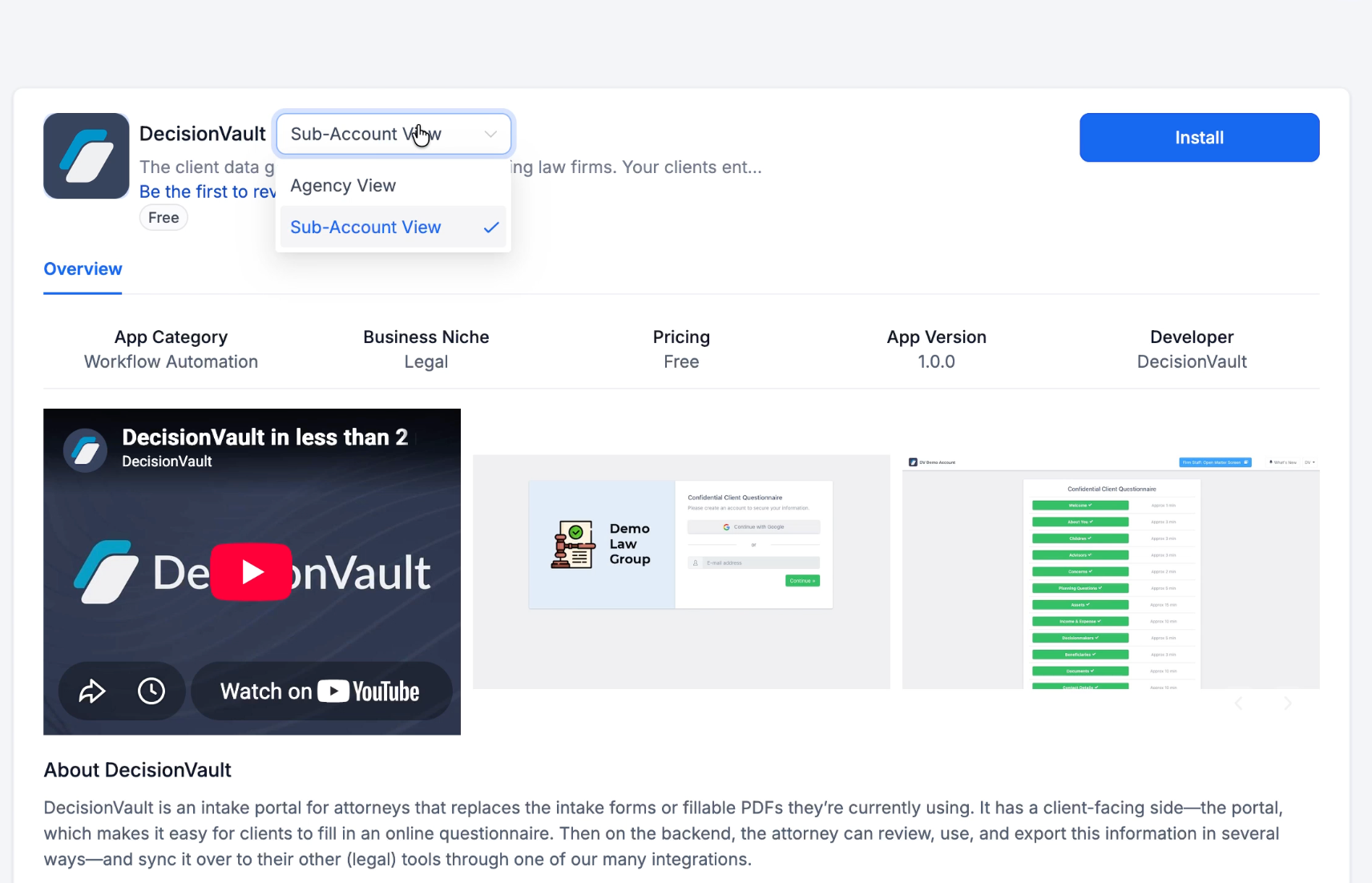
You'll land on the DecisionVault app in the HighLevel marketplace. In the dropdown next to the app name, choose Sub-Account View and then click Install.
-
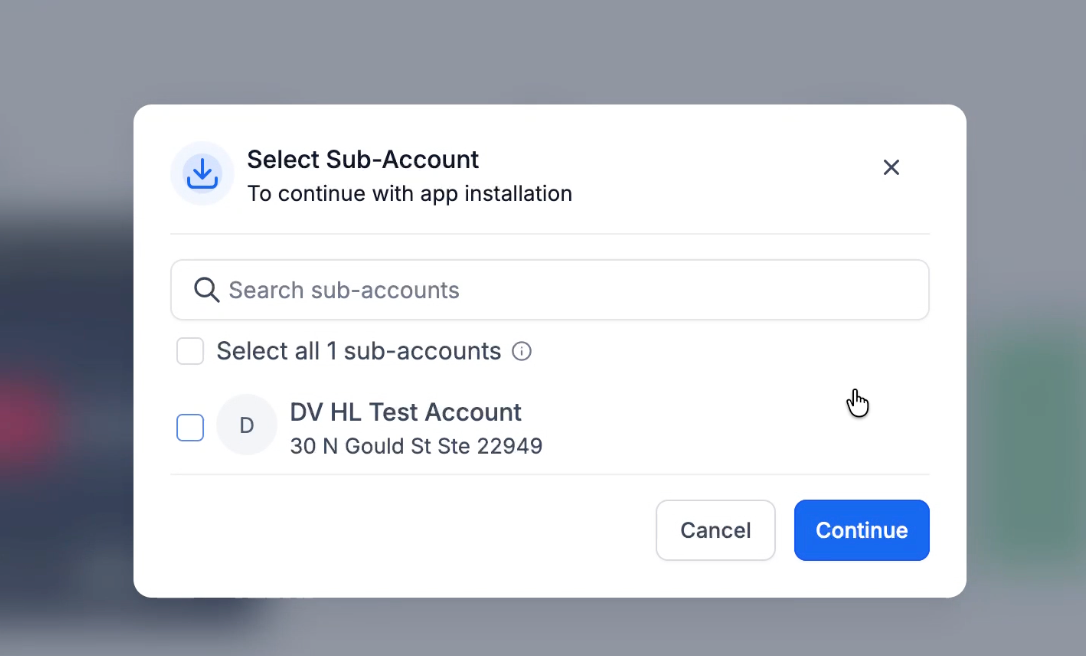
In the Select Sub-Account window, choose your account and click Continue.
-
Review the permissions and click Allow & Install.
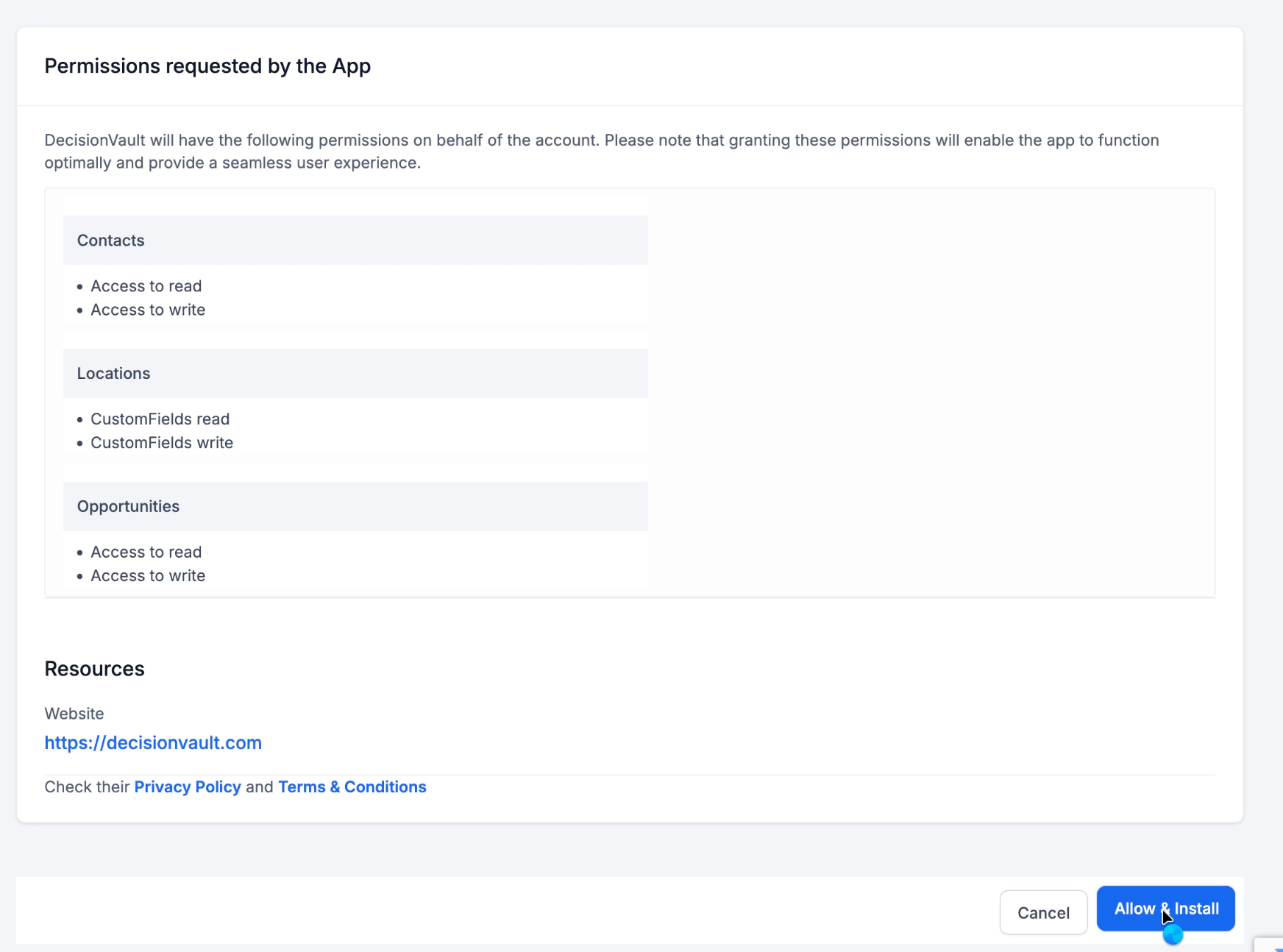
DecisionVault asks for access to:
- Contacts: read and write
- Locations: custom fields, read and write
-
Opportunities: read and write
After you allow access, you're sent back to DecisionVault to finish setup.
Finishing the setup
When you return, you'll see Connected at the top, and a red Setup Needed box below it.
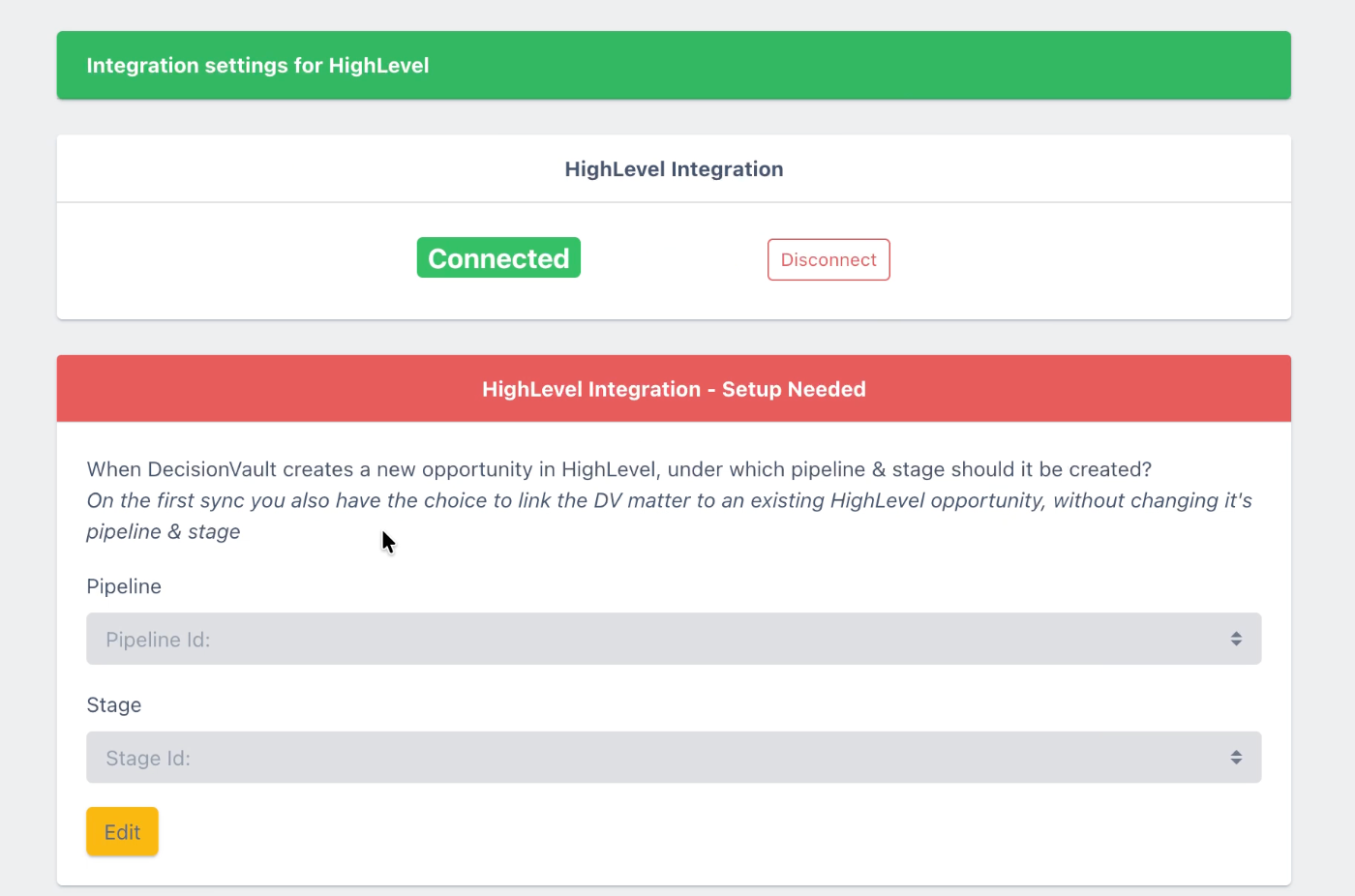
Under Pipeline and Stage, choose where DecisionVault should create new opportunities in HighLevel. You must set both. On the first sync, you can also link a DecisionVault matter to an existing HighLevel opportunity instead. That keeps the opportunity in its current pipeline and stage.
Optional: map your custom fields
Once the pipeline and stage are set, you can choose what gets sent to HighLevel.
-
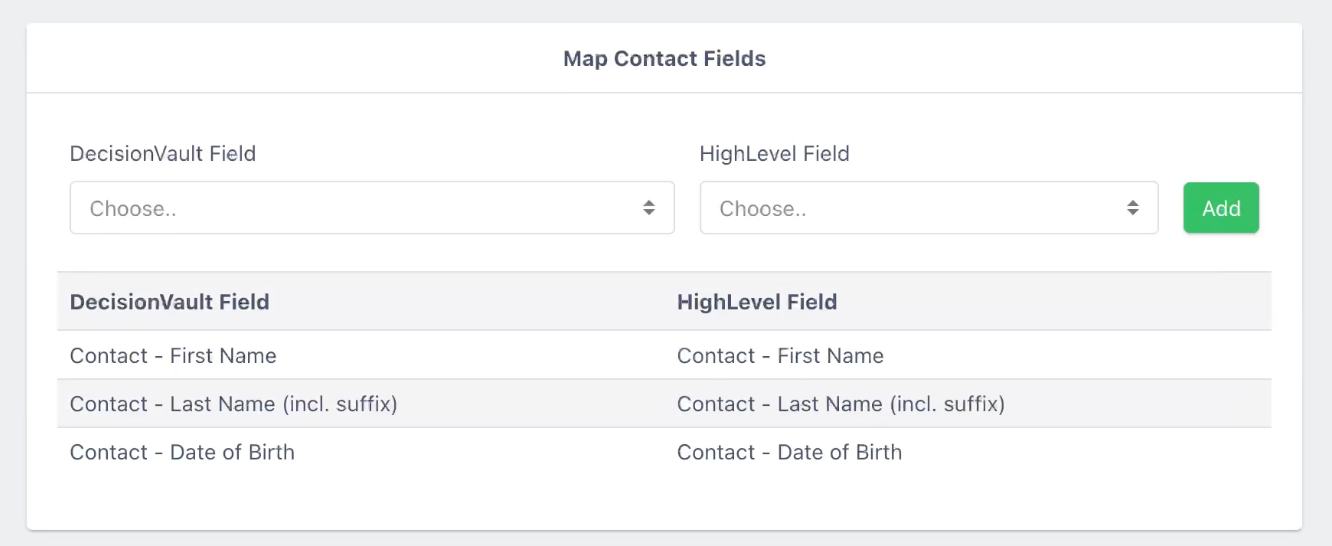
Map Contact Fields: match DecisionVault contact fields to your HighLevel custom contact fields. Pick one from each dropdown and click Add. First name, last name (including suffix) and date of birth are already mapped.
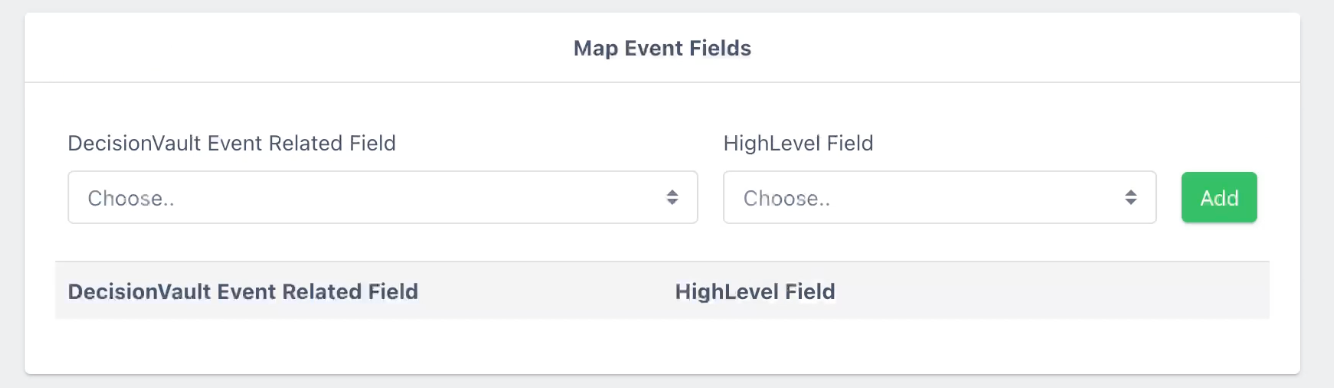
- Map Event Fields: send events such as an intake being started or submitted to a custom field in HighLevel. You can then build workflows and automations in HighLevel that trigger on those events.
-
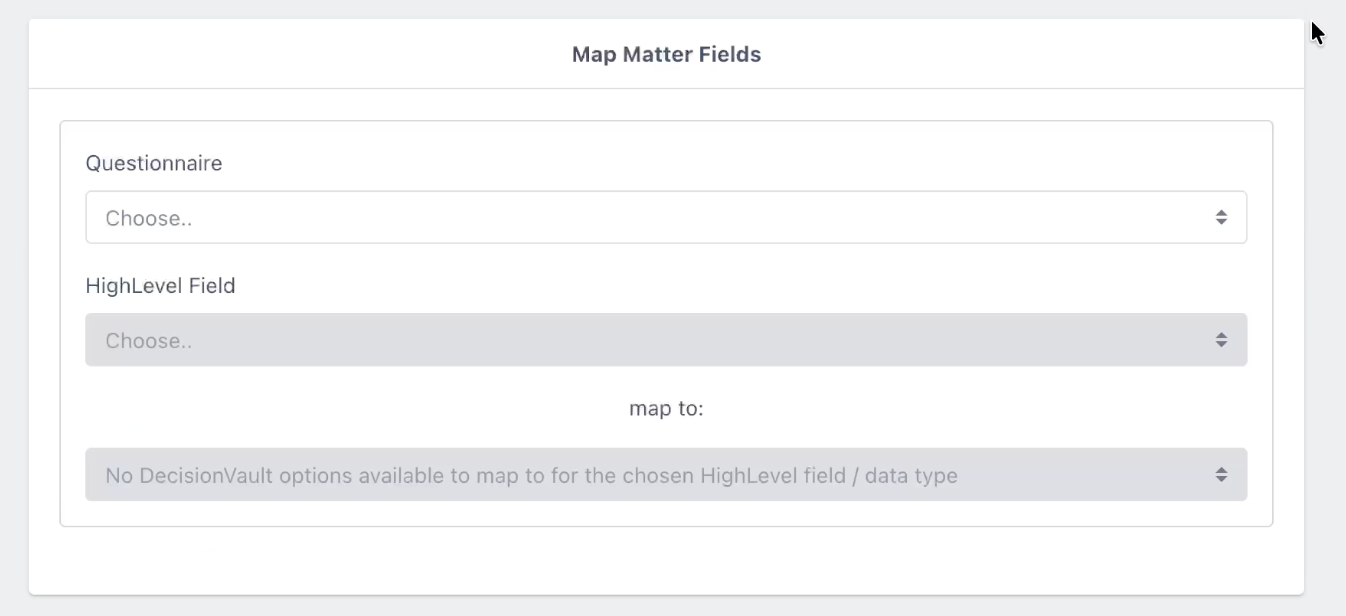
Map Matter Fields: choose a questionnaire, then a HighLevel matter-level custom field, then the DecisionVault question or meeting template field that should fill it.
How to integrate with..
To connect DecisionVault with Accelerator Pro click here.
To connect DecisionVault with Attorney Fuel click here.