How to enable or disable the SSN field
DecisionVault lets your firm collect a client’s Social Security Number (SSN) as part of their intake.
This information is stored as a contact detail field, and you can choose whether or not to include it in your questionnaires.
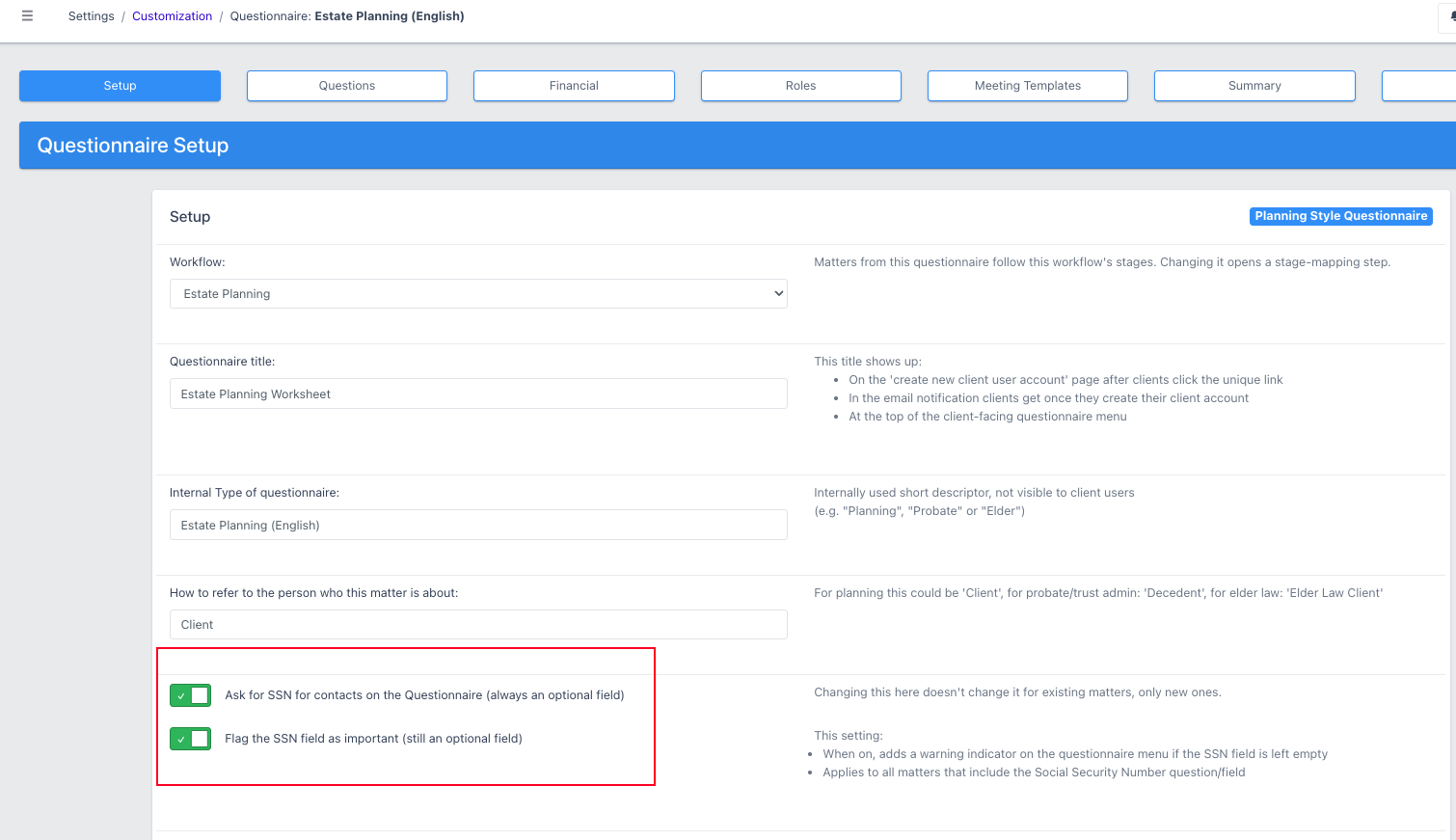
To enable it in a questionnaire go to Settings → Customization → Open your questionnaire.
-
In the Setup tab, scroll down to Prompt for SSN for contacts on the Questionnaire
Select one of the options:
- Ask for SSN - shows the SSN field on the questionnaire (still optional)
- Don’t ask for SSN - hides the field from clients
Flagging SSN as important
When SSN is collected it's still optional for the client, but if you flag it as important and the client leaves it blank, the intake menu shows a red count encouraging them to complete it. It never blocks the client from moving on.
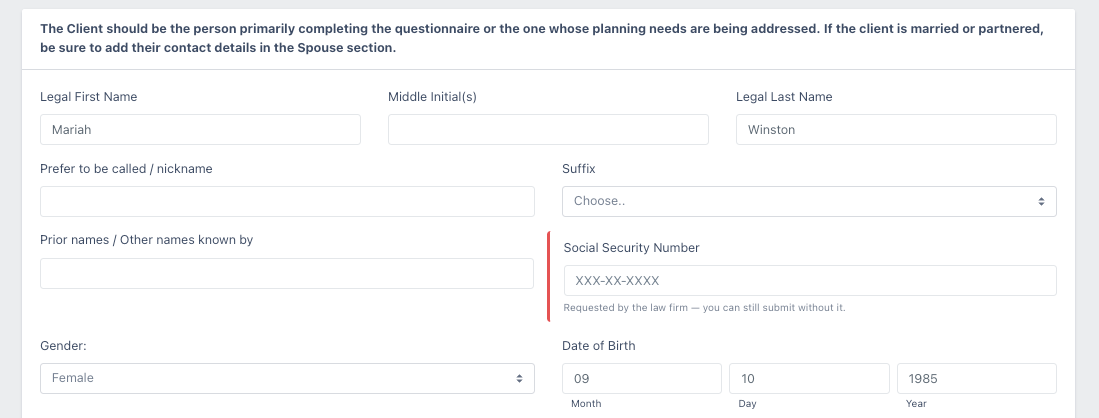
Changing this setting affects only new matters and existing matters won’t be updated automatically.
Frequently Asked Questions
Is the SSN field required for clients?
No. Even when the field is shown it stays optional. Flagging it as important adds a red count in the intake menu if it is left blank, but it never blocks the client from moving on.
Will changing the setting update my existing matters?
No. The change affects only new matters. Existing matters are not updated automatically.